
Documentation
Opening hours & availability
Availability controls when clients can book with you. It combines your weekly opening hours, any one-off closures, your timezone, and busy time pulled in from your own calendars. You manage it under Settings → Opening hours.
Weekly opening hours
Set, for each day of the week, whether you're open and during which hours. You can add more than one window per day — handy for a lunch break (for example open 09:00–13:00 and 14:00–17:00). Days can be marked fully closed.
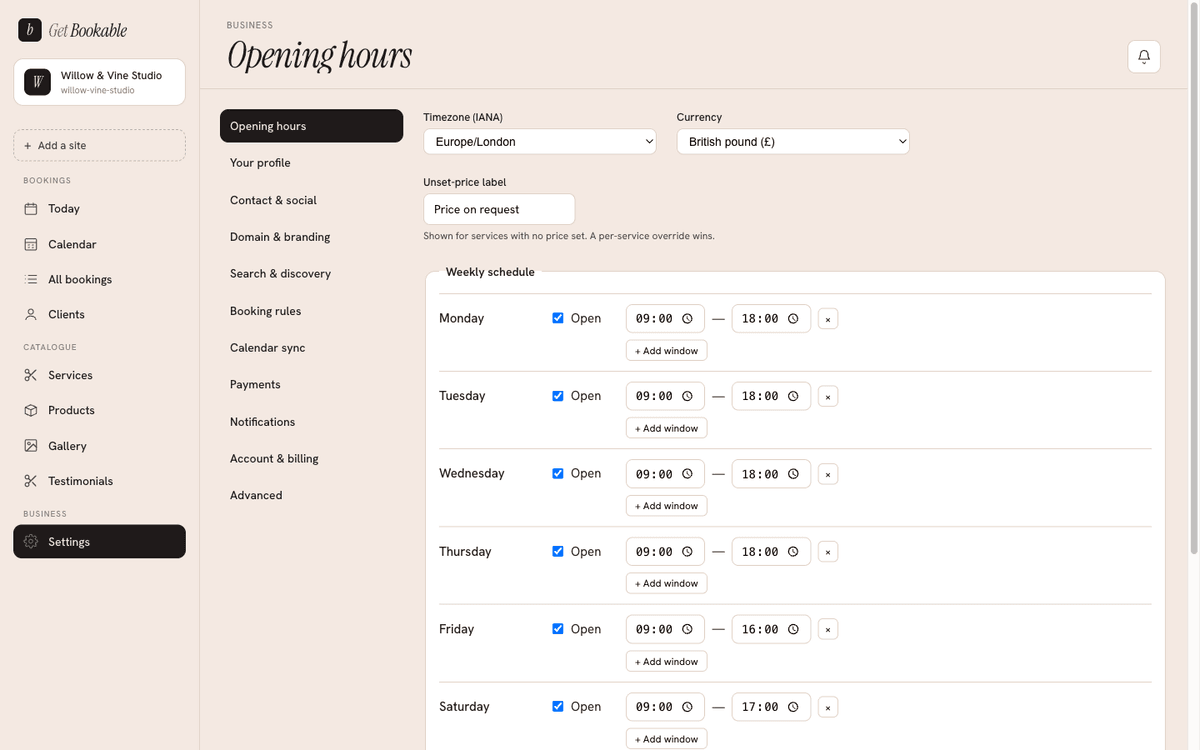
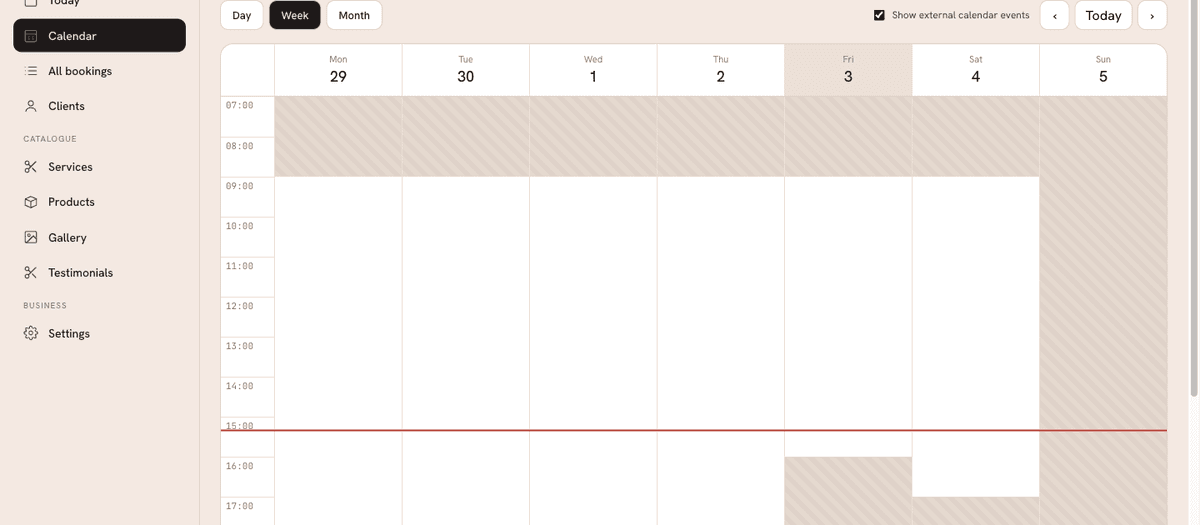
Your booking page only offers slots that fall inside your open windows and are long enough for the chosen service's duration. In your Calendar, closed times are shaded so it's clear at a glance when you're unavailable.
Timezone and currency
The same screen sets your timezone (so booking times mean the right thing for you and your clients) and your currency (how prices display across your site).
One-off closures
For holidays, sick days, or a day off, add a closure with a date range and an optional reason. Closures override your weekly hours — no slots are offered during a closure, and the Calendar shows the closure (with its reason) on the affected days.
Bank holidays
To save typing, use + Add bank holidays. We look up the public holidays for the country implied by your timezone (set on the same screen) and add them as closures. The button is safe to click more than once — it won't create duplicates. Review the added dates and Save to keep them.
Busy time from other calendars
If you connect external calendars (Google, Apple, Outlook, etc.), events marked busy in them block out matching times on your booking page automatically, so you never get double-booked against your personal calendar. See Calendar integrations for how to set this up and how the busy/free distinction works.
How a slot is decided
Putting it together, a time slot is offered to a client only when all of these are true:
- It falls inside an open window for that day.
- It isn't inside a one-off closure.
- It's long enough for the service's duration.
- It doesn't overlap an existing booking or a busy event from a connected calendar.