Documentation
Re-import & update your design
You can refresh your site's design after you're live by importing an updated handoff bundle. Re-importing is careful with the edits you've made in your admin, so you can keep improving your design without losing your day-to-day changes.
Where import lives
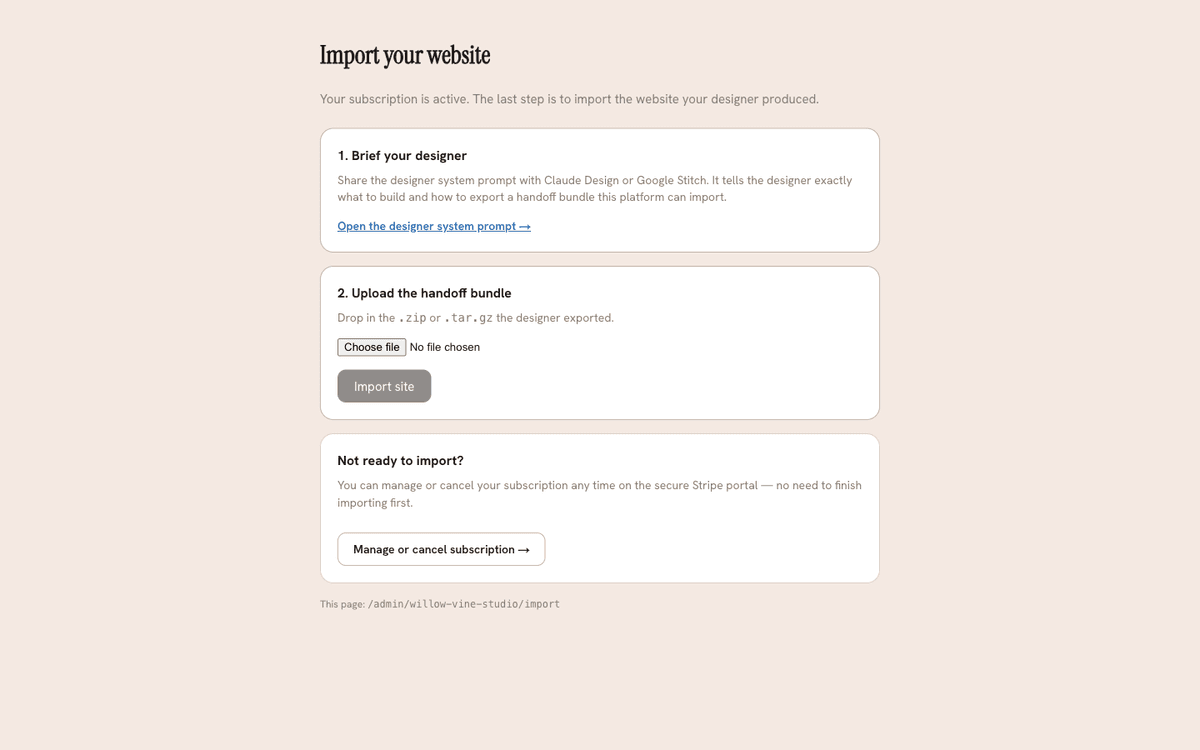
Go to your admin → Import. It's the same upload surface you used during
onboarding: choose your updated .tar.gz bundle and upload it. It's checked as it
uploads, so you find out immediately if anything needs fixing.
What's preserved and what's replaced
- Blocks you've edited in your admin are preserved. If you've changed the wording or images on a section since your last import, that section is kept as-is — a re-import won't wipe your work.
- Blocks you haven't touched are replaced from the new bundle, so genuine design updates come through.
Resolving conflicts (Keep / Discard)
Sometimes the new bundle and your edits can't be reconciled automatically — for example, you edited a section the new design removes, or the new design adds something that clashes with an edit. When that happens, your admin shows a conflict banner listing each item, and you choose Keep (hold on to your version) or Discard (take the new bundle's version) for each. Nothing changes on your live site until you've resolved them.
If you started from a template
Some features ship to your live site only when a bundle is imported — most notably the in-page Stripe payment step. If you built your site by bringing your own design, you already have your bundle: just re-import it.
If you started from a template, you don't hold a bundle file of your own — your template was applied for you during onboarding. To pick up a widget-shipped feature like the payment step, go to your admin → Import and click Refresh my template. This re-applies the latest version of your template for you — no upload needed. Just like a re-import, blocks you've edited are preserved, untouched blocks are refreshed from the template, and anything that can't be reconciled is flagged for you to keep or discard.
Enabling payments or other widget features after you're live is the usual reason to re-import. The relevant settings screen reminds you when a re-import (or, for template sites, a refresh) is needed.