Documentation
Take deposits & payments for bookings
GetBookable can take a deposit or full payment from your clients at the moment they book, using Stripe. Money goes straight to your own Stripe account — you're the merchant, and payouts and refunds are yours to manage.
How it works
Payments use Stripe Connect. You connect (or create) a Stripe account through GetBookable; from then on, card payments for your bookings are charged on your account and settle to your bank. GetBookable never holds your clients' money.
Connecting Stripe
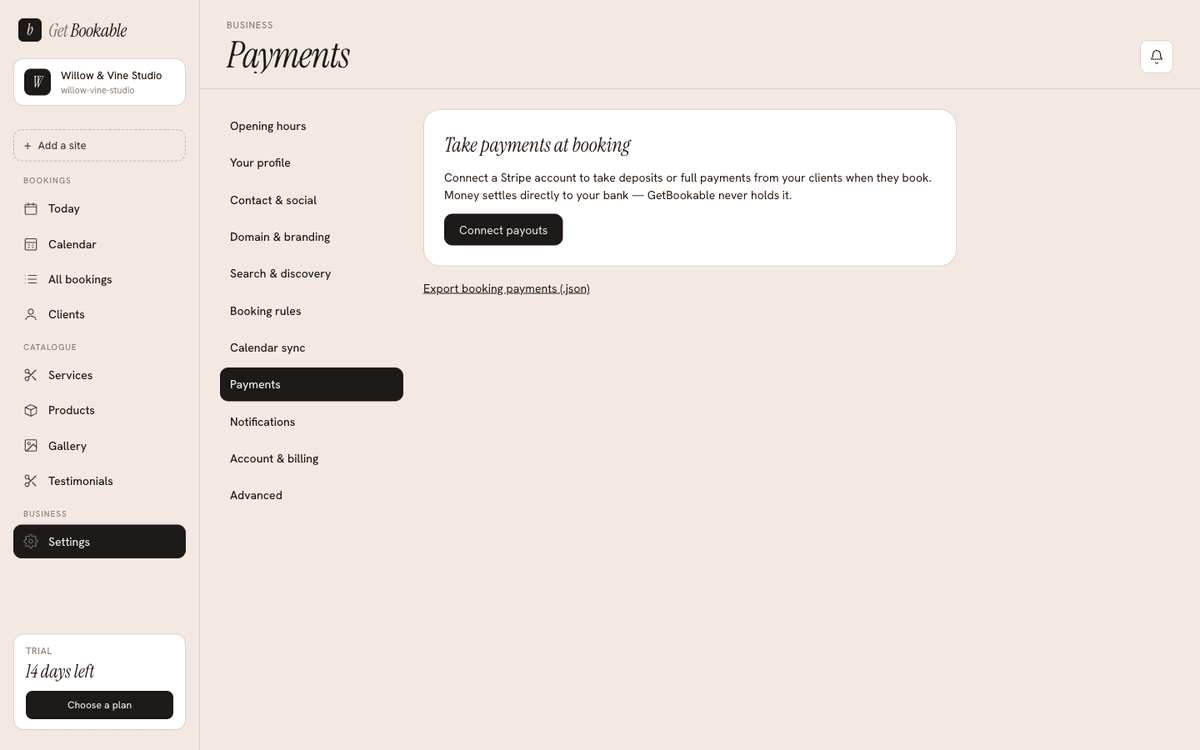
- Go to Settings → Payments.
- Start the Stripe connection. You'll be taken to Stripe's secure onboarding to provide your business and bank details.
- When Stripe has what it needs, your account shows as able to accept charges and receive payouts. You manage the account itself (refunds, payouts, disputes) from your Stripe Dashboard.
Charging for a service
Payment is set per service (see Services):
- No payment — booking is free to confirm.
- Deposit — the client pays a set deposit to hold the slot.
- Full — the client pays the full price up front.
So you can let a quick enquiry call book for free while a longer appointment requires a deposit.
What your client sees
When a service requires payment, the booking page adds a card-payment step between entering their details and confirming. The booking is only confirmed once the payment succeeds; if a client abandons payment, the slot is released after a short hold so it doesn't stay blocked.
Important: re-import after enabling payments
The in-page payment step ships to your live site on a bundle import. If you connect Stripe and turn on per-service payments after your site is already live, re-import your design so the payment step appears on your booking page. The Payments screen reminds you when a re-import is needed.
Exports
You can export your booking-payment history from the admin for your own records and reconciliation.