Documentation
Contact details & social links
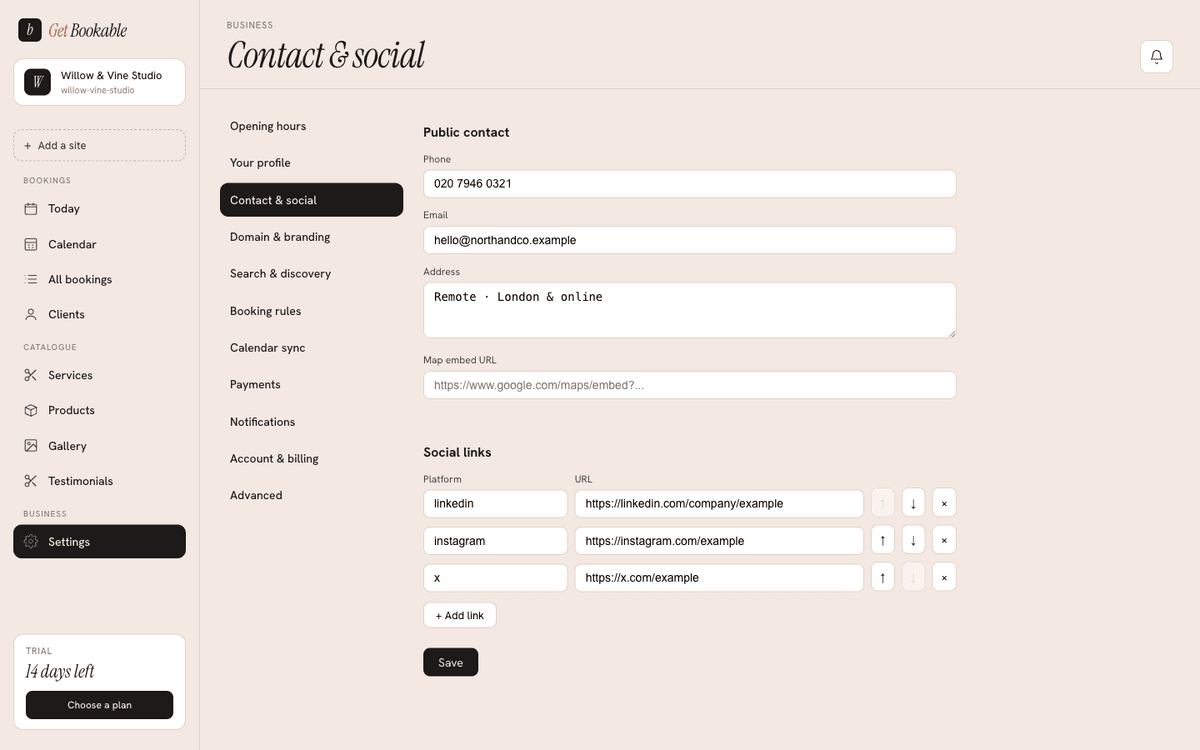
Your public contact details, a map, your social links, and your opening hours all help clients trust you and reach you. You manage them under Settings → Contact.
Public contact
Set the details you're happy to show publicly:
- Phone — a number clients can call.
- Email — a public enquiry address.
- Address — your location as you want it displayed.
These appear on your site wherever your design shows contact details.
Map embed
Paste a map embed URL to show an interactive map of your location. In Google Maps, use Share → Embed a map and copy the URL from the embed code. Clients can then find you at a glance.
Social links
Add the social profiles you want to link — Instagram, Facebook, TikTok, and so on. Each link is a platform name and its URL, and you can reorder them so your most important channel comes first.
Public opening hours
Your site can show your opening hours to visitors on the contact section of your public site, so people know when you're open before they book. These hours come straight from the ones you set under opening hours — set them once, and both your booking availability and your public hours stay in step.
The opening hours you set under Availability do two jobs: they decide which booking slots are offered, and they're what's shown to visitors on your site's contact section. You don't maintain them twice.