Documentation
Services, pricing & durations
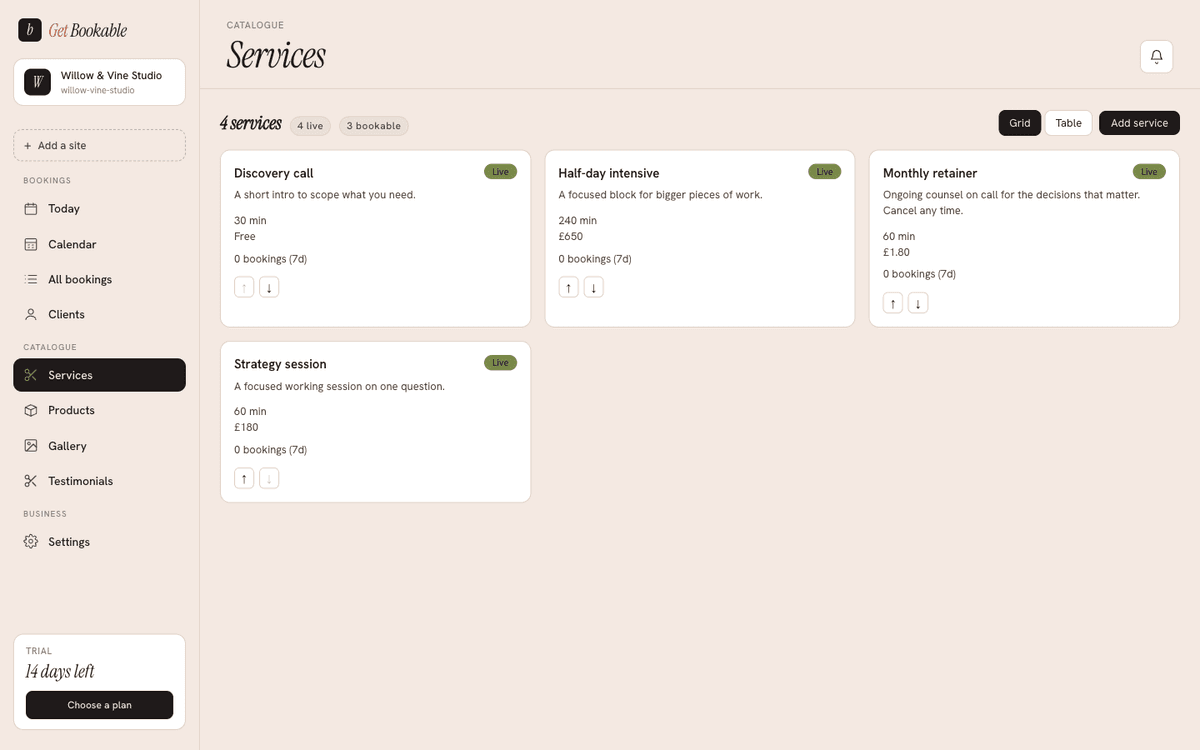
Services are the things your clients book — a haircut, a 60-minute massage, a consultation call. You manage them under Services in your admin shell.
Creating and editing services
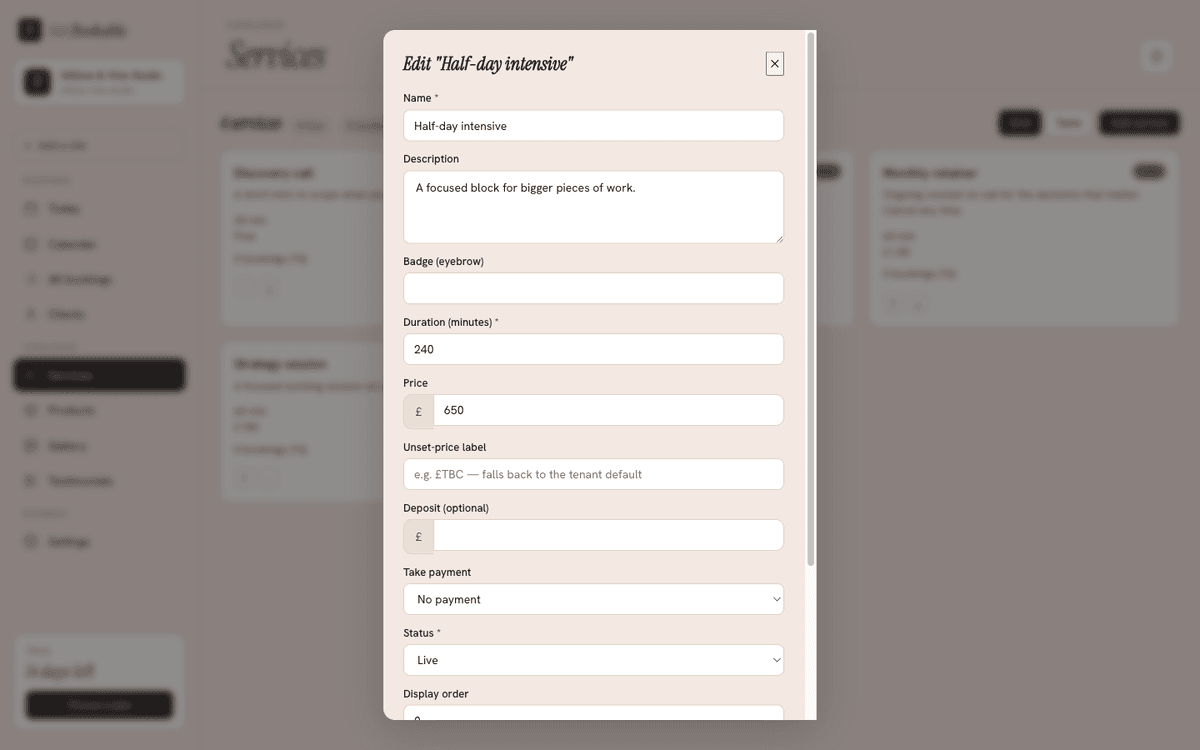
Each service has:
- Name — what clients see when booking.
- Duration — how long it takes, in minutes. This drives the time slots offered on your booking page.
- Price — what the service costs. Enter it in your normal currency units (for example pounds); we store and display it precisely.
- Status — Live (bookable) or Off (hidden from the booking page). Toggle a service off when you want to pause it without deleting it.
- Display order — the order services appear in. Drag to reorder.
Create, edit, and delete services directly from the Services screen. Toggling a service Live/Off is instant.
Currency
Your prices display in your tenant currency, set in Settings → Opening hours alongside your timezone. Changing currency re-skins how prices are shown; it doesn't re-value past bookings.
Deposits and payments
If you've connected Stripe, each service can require payment at booking time:
- No payment — clients book without paying.
- Deposit — clients pay a set deposit amount to hold the slot.
- Full — clients pay the full price up front.
You choose the mode per service, so a quick consultation can be free to book while a longer appointment takes a deposit. See Taking payments for how to set this up.
Online-call services
If a service is delivered over a video call, you can connect Zoom so each booking of that service gets a meeting link automatically. See Scheduling Zoom calls.
Products
Alongside services you can list Products — physical or digital items shown on your site. They're managed on the Products screen and work much like services for editing and imagery. See Products.