Documentation
Reminder emails & notifications
Get Bookable emails your clients a confirmation the moment they book, and can send reminders before their appointment so they don't forget. You control reminders under Settings → Notifications.
Reminder rules
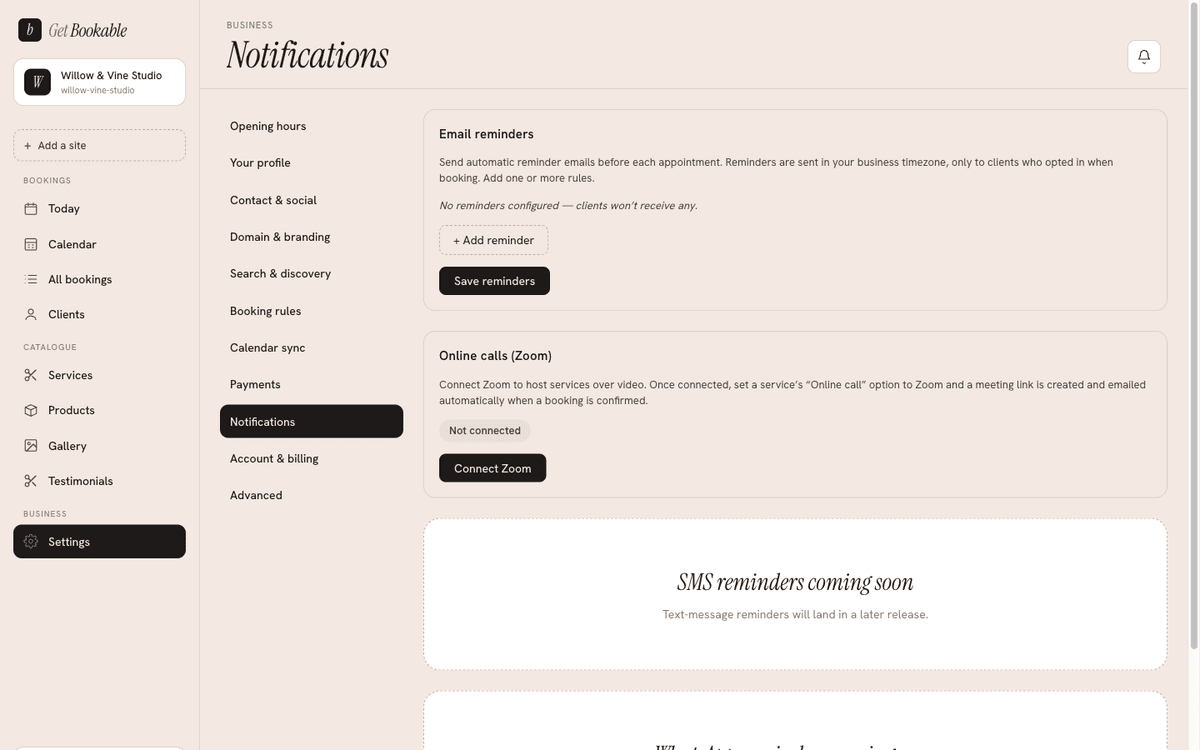
A reminder rule says when to send a reminder. Add as many as you like (up to ten) — a common setup is one a day before and one a couple of hours before. Each rule is one of two kinds:
- Hours before — send a set number of hours ahead of the appointment (for
example
24for the day before, or2for a nudge that morning). - At a time on the day before — send at a fixed wall-clock time, such as
09:00, so every client gets their reminder at a civilised hour rather than in the middle of the night.
Add, edit, and remove rules in the list, then Save. Reminders only go to clients who opted in — you set whether that box is pre-ticked under Booking rules.
What clients receive
Confirmation and reminder emails include the appointment details and, where relevant, the manage link and any payment receipt — see Running your bookings for the full list of what a client gets.
Zoom for online calls
If you offer online-call services, connect Zoom from this screen so every online booking automatically gets its own meeting link, added to the confirmation and reminders. Connecting is a one-time sign-in with your Zoom account. The full walkthrough — including how a meeting link is created and what happens if Zoom ever disconnects — is on the Scheduling Zoom calls page.